Assignment 10: Mandelthreads
Due Friday, April 3rd, before midnight
The goals for this assignment are:
-
Implement embarrassingly parallel multi-thread algorithms using the pthread library
Update your repository
Do a git pull to obtain the basecode for this assignment.
Your repository should now contain a new folder named A10.
Mandelbrot Set
The mandelbrot set is fractal popularized by Benoit Mandelbrot in 1980.
The mandelbrot set consists of the set of complex numbers z for which \(z^2 + c\) does not diverge to infinity when z starts at 0. To visualize this set, recall that a complex number, \(z = x + yi\), can be visualized as a 2D point \((x,y)\). Although the set derives from complex numbers, we can compute the set by thinking about 2D coordinates, \((x,y)\).
To see whether the complex number \((x,y)\) diverges, we simply need a loop that repeatedly computes \(z^2 + c\). If we expand the complex number multiplication of \(z = x + y*i\), z will change each iteration based on the following algorith. To test for divergence, we check whether z goes out of the bounds of 4*4. If z does go out of bounds, we assign it a color based on how quickly it "escaped" the distance 4*4. If after MAX iterations, z is still smaller than 4*4, it belongs to the set and we color it black.
The last thing we need to draw the set is the region of values for x and y that bound the set. X should vary from -2.0 to 0.47. Y should vary from -1.12 to 1.12. Here is the full algorithm. Assume that the image width and height are the same, e.g. square images.
for each row in the image
   for each col in the image
      xfrac = row / image_size
      yfrac = col / image_size
      x0 = xmin + xfrac * (xmax - xmin)
      y0 = ymin + yfrac * (ymax - ymin)

      x = 0
      y = 0
      iter = 0
      while (iter < MAX && x*x + y*y < 2*2)
        xtmp = x*x - y*y + x0
        y = 2*x*y + y0
        x = xtmp
        iter++

      if (iter < MAX) // escaped
        color = palette[iter]
      else
        color = black

      write color to image at location (row,col)
Palette
The palette should contain the same number of colors as MAX iterations.
Use ppm_pixel to represent colors in the pallet. You can either generate
random colors or compute a base color and jitter it e.g.
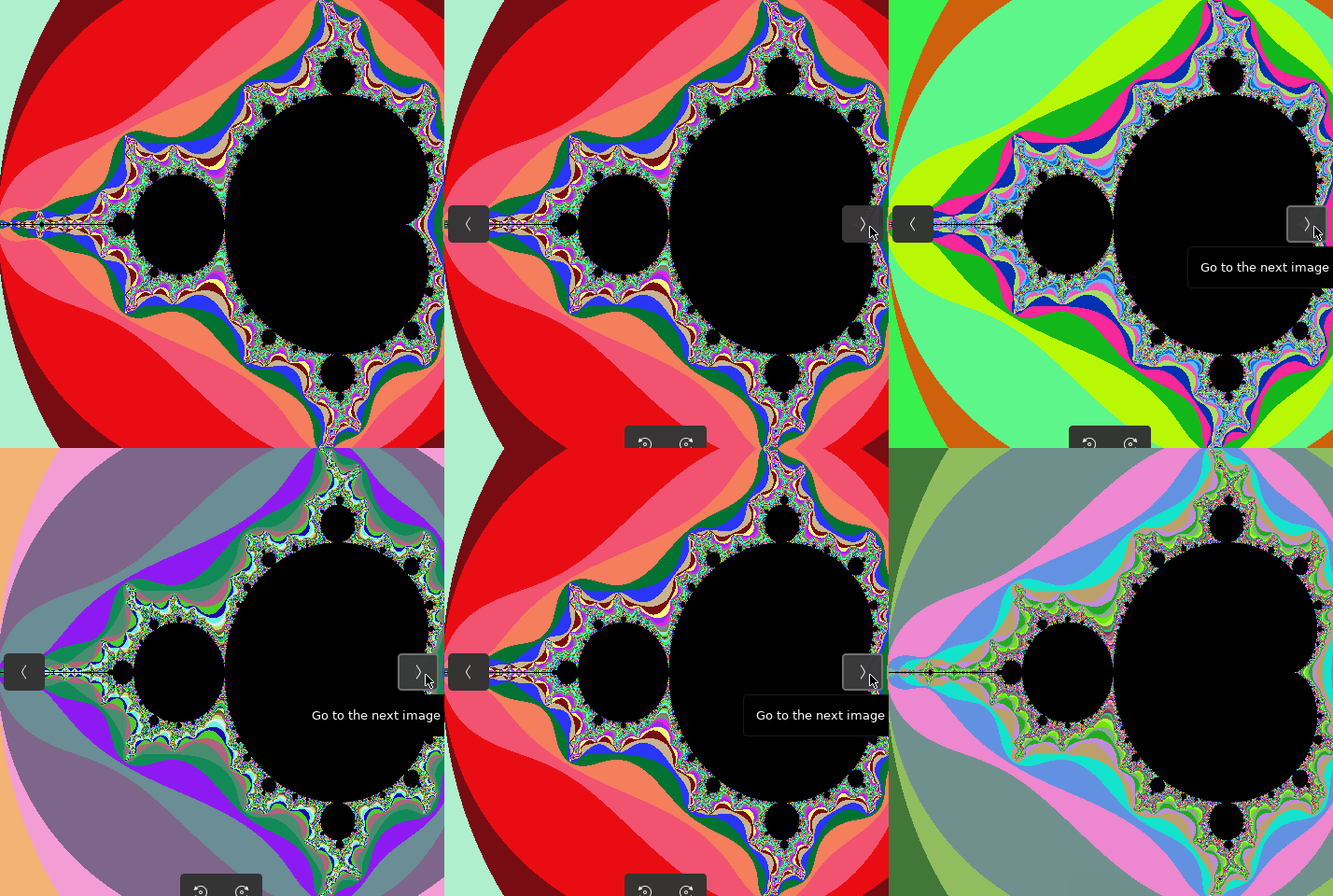
|
|

|
|
1. Single-threaded
In the file, single_mandelbrot, compute a program that outputs a PPM image of the mandelbrot
set. You have been given basecode that initializes the following values from command line arguments. This code uses the getopt function.
Arguments:
-
-s <size>the image width and height -
-l <xmin>the leftmost coordinate, e.g. minimum x value -
-r <xmax>the rightmost coordinate, e.g. maximum x value -
-t <ymin>the topmost coordinate, e.g. minimum y value -
-b <ymax>the bottommost coordinate, e.g. maximum y value

When you run your program, you should get the output such as the following
$ make single_mandelbrot
$ ./single_mandelbrot
Generating mandelbrot with size 480x480
  X range = [-2.0000,0.4700]
  Y range = [-1.1200,1.1200]
Computed mandelbrot set (480x480) in 0.323261 seconds
Writing file: mandelbrot-480-1649001071.ppm
Requirements and hints:
-
You should re-use your PPM functions from A06. If you use a 2D array of arrays, be sure to modify and commit
read_ppm.h! -
Allocate an array of pixels using malloc and then save the final image using
write_ppm. -
You should output the number of seconds needed to compute the image. Use this class example, matrix.c for an example.
-
Your output filename should have the format
mandelbrot-<size>-<timestamp>.ppm. The timestamp can be obtained by callingtime(0). -
Set a random seed to ensure that the color palette is different each time, e.g.
srand(time(0)) -
In your
README.adoc, callsingle_mandelbrotwith sizes of 100, 400, 800, 1000, and 2000. Record the number of seconds it takes to compute each image. -
(Optional) Experiment with visualizing other regions of the mandelbrot set. For example, if you run with
./single_mandelbrot -s 480 -l -0.02524993 -r 0.00975 -b -0.8172 -t -0.79725, you get the following image

2. Multi-threaded
Implement a multi-threaded version of the mandelbrot set that you implemented for the previous question. Unlike the single threaded version, you will subdivide the rows of the image among N threads, thus computing the image (ideally) N times faster.
In the file, multi_mandelbrot.c, compute a program that outputs a PPM image of
the mandelbrot set. You have been given basecode that initializes the following
values from command line arguments. This code uses the
getopt
function.
Arguments:
-
-s <size>the image width and height -
-l <xmin>the leftmost coordinate, e.g. minimum x value -
-r <xmax>the rightmost coordinate, e.g. maximum x value -
-t <ymin>the topmost coordinate, e.g. minimum y value -
-b <ymax>the bottommost coordinate, e.g. maximum y value -
-n <num_threads>the number of threads
When you run your program, you should get the output such as the following
$ make multi_mandelbrot
$ ./multi_mandelbrot
Generating mandelbrot with size 480x480
  X range = [-2.0000,0.4700]
  Y range = [-1.1200,1.1200]
Thread 140392055985920) sub-image block: rows (0, 120)
Thread 140392047593216) sub-image block: rows (120, 240)
Thread 140392039200512) sub-image block: rows (240, 360)
Thread 140392030807808) sub-image block: rows (360, 480)
Thread 140392055985920) finished
Thread 140392047593216) finished
Thread 140392039200512) finished
Thread 140392030807808) finished
Computed mandelbrot set (480x480) in 0.143906 seconds
Writing file: mandelbrot-480-1650116924.ppm
Requirements and hints:
-
You should re-use your PPM and mandelbrot functions from A09. If you use a 2D array of arrays, be sure to modify and commit
read_ppm.h! -
Create four threads. Each thread should process a quadrant of the image.
-
Print the ids and work tasks for each thread. You can print either the pthread_t ID, or your own given id. Above, we print the pthread_t ID. See the code from class for examples.
-
Allocate an array of pixels using malloc and then save the final image using
write_ppm. -
Do not declare global variables! Use parameters to send data to each thread’s start_routine.
-
You should output the number of seconds needed to compute the image. Use this class example, matrix.c for an example. The performance should be comparable to your multi_mandelbrot version from A09.
-
Your output filename should have the format
mandelbrot-<size>-<timestamp>.ppm. The timestamp can be obtained by callingtime(0). -
Set a random seed to ensure that the color palette is different each time, e.g.
srand(time(0))
3. Submit your work
Submit both your code and images.
1) Push your code work to github
$ git status
$ git add .
$ git status
$ git commit -m "assignment complete"
$ git status
$ git push
$ git status
4. Grading Rubric
Assignment rubrics
Grades are out of 4 points.
-
(2 points) Single-Threaded Mandelbrot
-
(0.2 points) style and header comment
-
(0.2 points) Generated image with correct filename
-
(0.1 points) Supports given command line arguments
-
(0.5 points) Correct output and output performance statistics
-
(1.0 points) no memory errors, good style
-
-
(2 points) Multi-Threaded Mandelbrot
-
(0.2 points) style and header comment
-
(0.2 points) Generated image with correct filename
-
(0.1 points) Supports given command line arguments
-
(0.5 points) Correct output, thread coordination, and output performance statistics
-
(1.0 points) no memory errors
-
Code rubrics
For full credit, your C programs must be feature-complete, robust (e.g. run without memory errors or crashing) and have good style.
-
Some credit lost for missing features or bugs, depending on severity of error
-
-5% for style errors. See the class coding style here.
-
-50% for memory errors
-
-100% for failure to checkin work to Github
-
-100% for failure to compile on linux using make