Assignment 08: Image conscious
Due Friday, March 20, before midnight
The goals for this assignment are:
-
Read and write binary PPM files
-
Write simple multi-process programs
Update your repository
Do a git pull to obtain the basecode for this assignment.
Your repository should now contain a new folder named A08.
PPM
For this question, you will implement two functions, read_ppm and write_ppm,
that read and write binary PPM files.
Background
PPM (Portable Pix Map) is an image file format that stores the colors of an image as a 2D array of colors. Each color is represented as a RGB triplet, representing red, green and blue respectively. The properties of the image, such as its size and color format, are specified at the start of the file (called its "header information"). PPM supports both ASCII (plain text) and binary data (raw).
| We will be working only with PPM’s binary format! |
For example, consider the following image
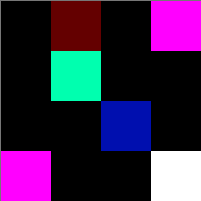
The above image contains a 4x4 grid of colored pixels. Each pixel is a triplet of red-blue-green (RGB) color
values, each stored as an unsigned char. Unsigned chars have values which range from 0 to 255, where
smaller values correspond to darker colors. The triplet (0,0,0) corresponds to black. The triplet
(255,255,255) corresponds to white. The triplet (255,0,0) corresponds to red. This system of colors is called
the RGB Color Model and it is a common standard for
representing colors on a computer.
The RGB colors for the pixels in the above image are as follows
(0,0,0)      (100,0,0)    (0,0,0)     (255,0,255)
(0,0,0)      (0,255,175)  (0,0,0)     (0,0,0)
(0,0,0)      (0,0,0)      (0,15,175)  (0,0,0)
(255,0,255)  (0,0,0)      (0,0,0)     (255,255,255)
In binary format (also called raw format), the image is stored as follows.
To see for yourself, do hexedit feep-raw.ppm.
00000000   50 36 0A 23  20 43 72 65  61 74 65 64  20 62 79 20  47 49 4D 50  20 76 65 72  P6.# Created by GIMP ver
00000018   73 69 6F 6E  20 32 2E 31  30 2E 32 34  20 50 4E 4D  20 70 6C 75  67 2D 69 6E  sion 2.10.24 PNM plug-in
00000030   0A 34 20 34  0A 32 35 35  0A 00 00 00  64 00 00 00  00 00 FF 00  FF 00 00 00  .4 4.255....d...........
00000048   00 FF AF 00  00 00 00 00  00 00 00 00  00 00 00 00  0F AF 00 00  00 FF 00 FF  ........................
00000060   00 00 00 00  00 00 FF FF  FF                                                  .........
The leftmost column is byte number in hexadecimal. For example, 0x18 is 24 in decimal. There are 24 bytes
on the first row on output. The rightmost column displays the raw data in ASCII, using . for non-visible
ASCII codes, such as '\0' and 'Escape'.
Regardless of format, every PPM file starts the following information in its header.
-
A two-byte "magic number" indicating the type of PPM. Binary types start with "P6". In hexedit, this corresponds to the binary values
50 36 A0, e.g. the ascii valuesP,6, and\n. -
Width and height as ASCII decimal integers (separated by whitespace). Above this corresponds to the binary values
34 20 24 0A, or ascii values4 4\n. -
Maximum color value as an ASCII decimal integer. Above this corresponds to the values
32 35 35 0A, or ascii255\n. You can assume the Maxval is less than 256, meaning each RGB value is 1 byte. -
A raster (e.g. the array of pixels) of Height number of rows and Width number of columns, in order from top to bottom.
PPM images may contain comments in their header. These must be on their own line
and start with the symbol Created by GIMP version 2.10.24 PNM plug-in
|
| PPM files can be viewed using tools such as Photoshop and Gimp. If you are using VS Code, I recommend installing the extension, "PBM/PPM/PGM Viewer" by ngtystr, so you can easily view your PPM files. |
Read PPM
In the file, ../common/read_ppm.c, implement the following two functions.
-
struct ppm_pixel* read_ppm(const char* filename, int* width, int* height)-
Param filename: the image PPM to open and read
-
Param width: the address of an integer into which we will place the width of the loaded image (e.g. pass by pointer parameter)
-
Param height: the address of an integer into which we will place the height of the loaded image (e.g. pass by pointer parameter)
-
Return struct ppm_pixel*: a flat 2D array of struct ppm_pixel. Returns NULL if an error occurs. The caller is responsible for freeing the array.
-
-
struct ppm_pixel** read_ppm_2d(const char* filename, int* width, int* height)-
Param filename: the image PPM to open and read
-
Param width: the address of an integer into which we will place the width of the loaded image (e.g. pass by pointer parameter)
-
Param height: the address of an integer into which we will place the height of the loaded image (e.g. pass by pointer parameter)
-
Return struct ppm_pixel**: an array of arrays 2D matrix of struct ppm_pixel. Returns NULL if an error occurs. The caller is responsible for free the array.
-
Each of these functions read a PPM file stored in binary format and returns a 2D array
of struct pixel. A struct pixel has the following definition
struct ppm_pixel {
    unsigned char red;
    unsigned char green;
    unsigned char blue;
};
You will re-use this function in future assignments. For this reason, we place its implementation
in it’s own file, read_ppm.c, and use a header file, read_ppm.h, to include it in our main application.
|
In the file, ../common/test_read.c, write a short test that calls your function and prints the
contents of feep-raw.ppm like so:
$ make test_read
gcc -g -Wall -Wvla -Werror test_read.c read_ppm.c -o test_read
$ ./test_read
Testing file feep-raw.ppm with flat array:
(0,0,0) (100,0,0) (0,0,0) (255,0,255)
(0,0,0) (0,255,175) (0,0,0) (0,0,0)
(0,0,0) (0,0,0) (0,15,175) (0,0,0)
(255,0,255) (0,0,0) (0,0,0) (255,255,255)

Testing file feep-raw.ppm with array of arrays:
(0,0,0) (100,0,0) (0,0,0) (255,0,255)
(0,0,0) (0,255,175) (0,0,0) (0,0,0)
(0,0,0) (0,0,0) (0,15,175) (0,0,0)
(255,0,255) (0,0,0) (0,0,0) (255,255,255)
Requirements/Hints:
-
Your function should return NULL if the filename is invalid
-
Your function should return NULL if memory cannot be allocated for the image data
-
Your function should return a pointer to the array you create in read_ppm
-
You can assume that it is safe to read the header line by line using a function such as
fgetsorfscanf. -
Do not modify read_ppm.h. And do not remove the version of the function you do not implement!
-
Make sure your program compiles using the Makefile
-
Your solution should support an optional comment line.
Write PPM
Implement a new function, write_ppm, defined in ../common/write_ppm.c.
Similarly to read_ppm, you should implement both definitions of write_ppm.
-
int write_ppm(const char* filename, struct ppm_pixel* pixels, int width, int height)-
Param filename: the image PPM to write
-
Param struct ppm_pixel*: a flat 2D array of struct ppm_pixel to write.
-
Param width: the width of the image
-
Param height: the height of the image
-
Return (int): Returns 1 if an error occurred; otherwise, returns 0.
-
-
int write_ppm_2d(const char* filename, struct ppm_pixel** pixels, int width, int height)-
Param filename: the image PPM to write
-
Param struct ppm_pixel**: a 2D matrix array of arrays of struct ppm_pixel to write.
-
Param width: the width of the image
-
Param height: the height of the image
-
Return (int): Returns 1 if an error occurred; otherwise, returns 0.
-
In the file, test_write.c, write an application that tests both your write functions. Your application
should create a 4 by 4 image with alternating stripes and save it to the files stripes_flat.ppm and stripes_aoa.ppm.
$ make test_write
gcc -g -Wall -Wvla -Werror test_write.c write_ppm.c read_ppm.c -o test_write
$ ./test_write
Writing stripes-flat.ppm (4 4)
Writing stripes-aoa.ppm (4 4)
The written images should both look the same. You can use any colors you like. Below, I used black and white.

Requirements/Hints:
-
Use
fprintfto write the header andfwriteto write the binary Data to your file. -
Do not modify write_ppm.h. And do not remove the version of the function you do not implement!
-
Make sure your program compiles using the Makefile
-
You can optionally write a comment if you wish.
Glitch
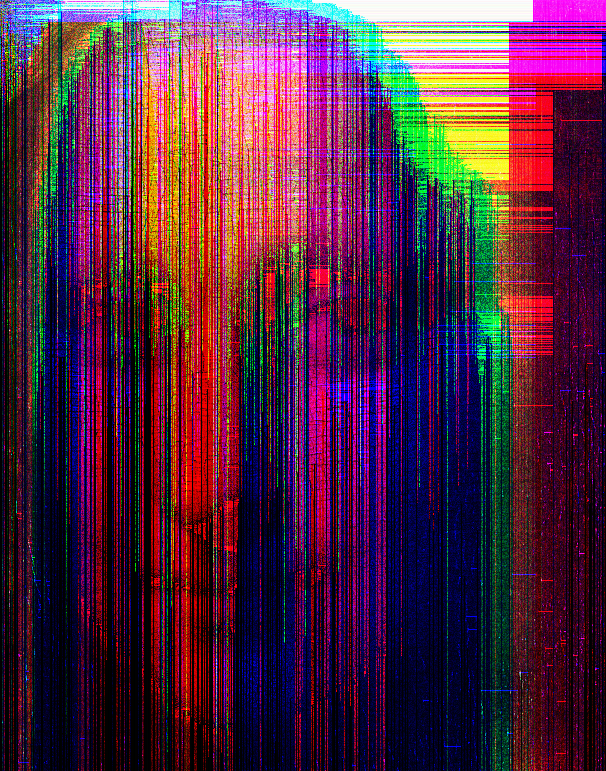
Glitch Art is the practice of leveraging technological errors for artistic purposes.

First, implement a new function, write_ppm, defined in read_ppm.c. Similarly to Assignment 04, you should change the definition of write_ppm if you use an "array of arrays" to store your pixels. Be careful that you do not change the definition of ppm_pixel!
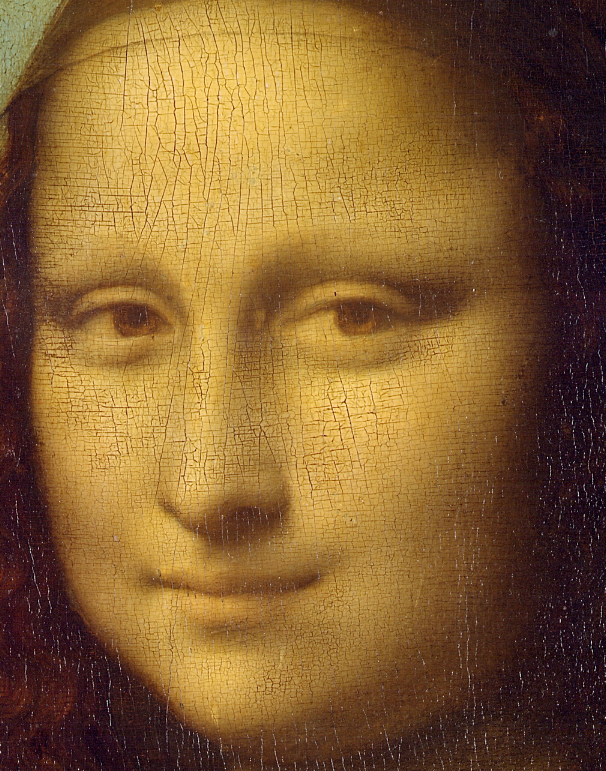
Then write a program, glitch.c, that reads in a PPM file and "glitches" it. Your program should save the modified PPM in a new file with the suffix "-glitch". For example, if you load in the file
"monalisa.ppm", you should output a file named "monalisa-glitch.ppm".
$ ./glitch monalisa.ppm
Reading monalisa.ppm with width 606 and height 771
Writing file monalisa-glitch.ppm
Original Image |
Glitched Image |
|
|
Requirements/Hints:
-
Read in a file using a command line argument and save the result to
[filename]-glitch.ppm -
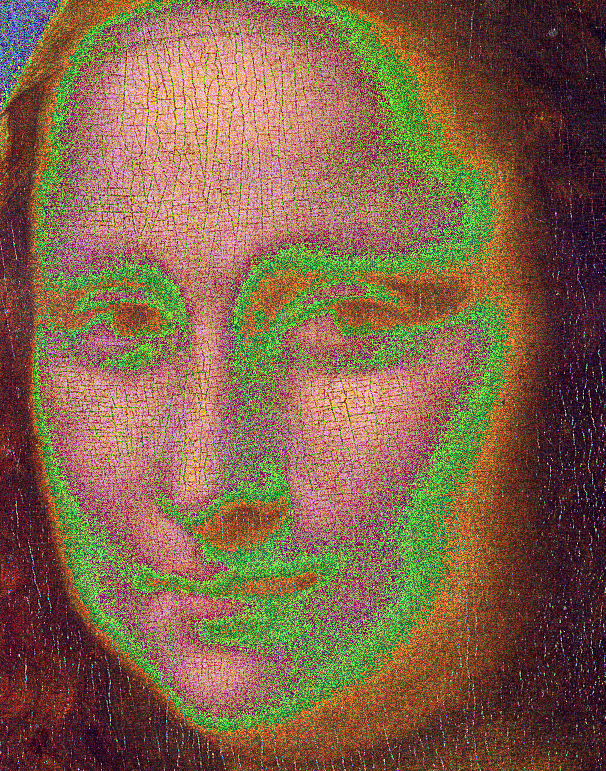
To start, implement a minimal glitch, which shifts each color value by either 1 or 2 bits, choosen at random, e.g.
newcolorvalue = oldcolorvalue << (rand() % 2);. Your result should look like the example below. -
Submit your glitched images as part of your submission!
Original Image |
Result of random bit shift |
|
|
|
Be creative with your glitches! You can use a combination of bit operations, switching colors, adding colors, etc. Anything goes! Also, feel free to use your own images. PPM images can be exported using Gimp or Photoshop.
Submit your work
Push you work to github to submit your work.
$ cd A08
$ git status
$ git add *.c
$ git commit -m "assignment complete"
$ git status
$ git push
Grading Rubric
Assignment rubrics
Grades are out of 4 points.
-
(1.5 points) Read PPM
-
(0.6 points) correct behavior: reads the PPM file in binary format
-
(0.8 points) no memory errors, style
-
-
(1.5 points) Write PPM
-
(0.6 points) correct behavior: write the PPM file in binary format
-
(0.8 points) no memory errors, style
-
-
(1 points) glitch
-
(0.4 points) correct behavior: computes and saves a glitched image
-
(0.6 points) no memory errors, style
-
Code rubrics
For full credit, your C programs must be feature-complete, robust (e.g. run without memory errors or crashing) and have good style.
-
Some credit lost for missing features or bugs, depending on severity of error
-
-5% for style errors. See the class coding style here.
-
-50% for memory errors
-
-100% for failure to checkin work to Github
-
-100% for failure to compile on linux using make